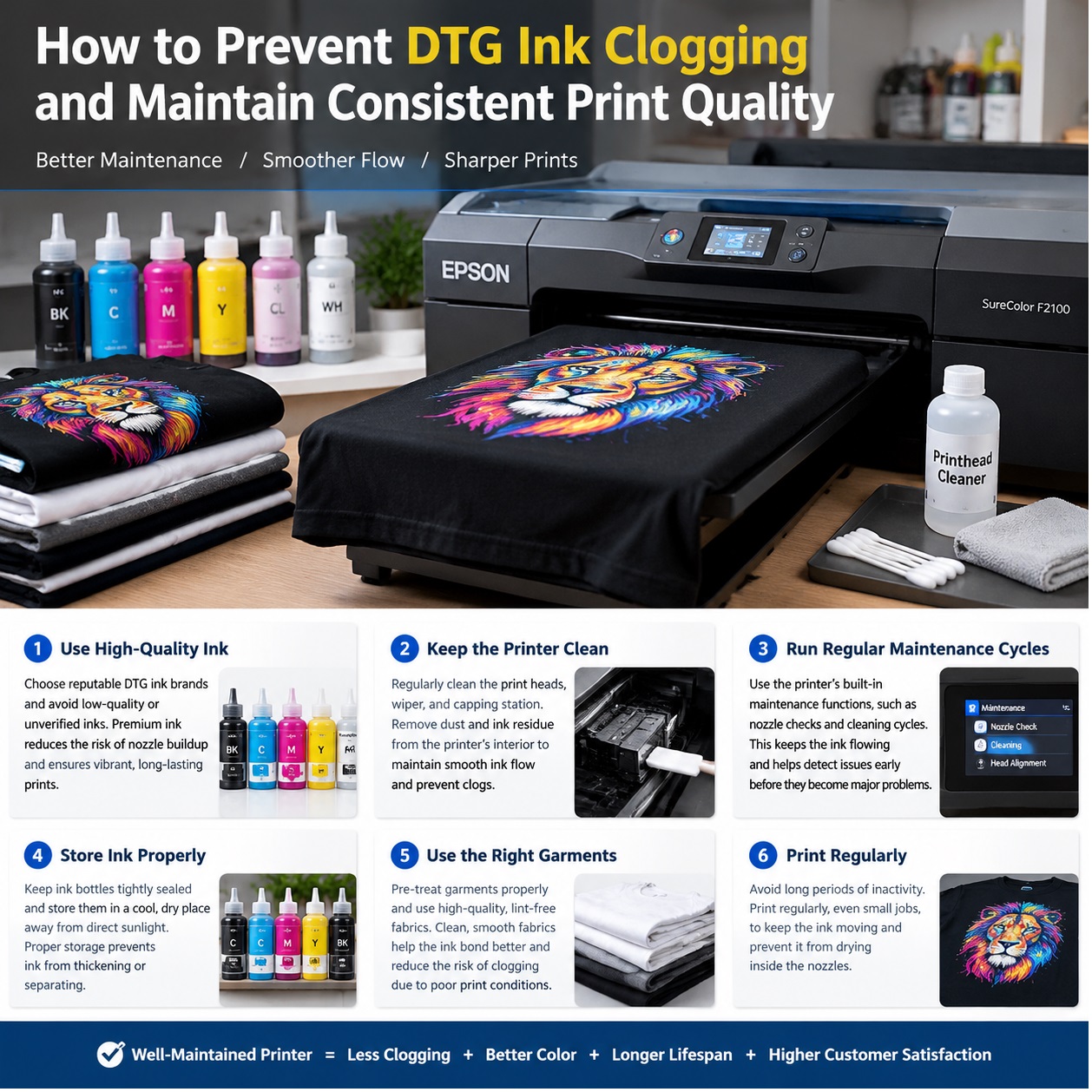
 A DTG printer doesn’t clog because it hates you. It clogs because it sat idle for 36 hours while the ink in the lines quietly turned into peanut butter. That sounds harsh, but it’s the truth most print shop owners learn after a ruined rush order. The good news? Clogging is rarely a mystery. It’s a maintenance problem, a humidity problem, or an ink problem. Fix those, and your DTG printer becomes boringly reliable, which is exactly what you want when you’re trying to make money.
The Real Culprit Is Idle Time
DTG ink, especially white, is pigment-heavy. Pigment particles want to settle. When the printer sits, those particles drop out of suspension and start packing together in the printhead, dampers, and lines. A machine that runs every day stays healthier than a machine that runs twice a week. If your production schedule has gaps, you need a maintenance schedule that fills them. Print a small test pattern every morning. It costs pennies. A clogged head costs hundreds or thousands.
White Ink Is Not Like CMYK
Treat white ink like a living thing. It needs movement. Shake the white ink cartridge or bag gently but thoroughly before every shift. If your printer has a circulation system, use it. If it doesn’t, run a small white print daily. Never let white ink sit for days without agitation. Many DTG operators blame the printer when the real issue is a white ink bag that has been undisturbed since Friday afternoon. Your ink supplier should give you clear agitation guidelines. If they don’t, find a supplier who does.
The Five-Minute Daily Ritual That Saves Thousands
You don’t need a full teardown every morning. You need five focused minutes. Start with a nozzle check. Look for missing lines, weak spots, or deflection. Next, clean the capping station and wiper blade. Ink builds up there, dries, and then gets dragged across the printhead. Check the capping station for pooling cleaning solution. It should be moist, not flooded. Finally, print a small test image that includes white and color. This daily habit catches problems while they’re still tiny.
Humidity, Heat, and the Invisible Drying Effect
Dry air is a DTG printer’s enemy. Low humidity makes ink dry in the nozzles faster. Aim for 45 to 65 percent relative humidity in your print room. A cheap hygrometer will tell you more than a fancy sales pitch. If your humidity drops in winter, add a humidifier. Keep the room temperature stable, too. Extreme heat speeds up drying and changes ink viscosity. Don’t put the printer next to a loading dock door or a heat vent. Consistent environment equals consistent dots.
Capping Station and Wiper Blade: The Two Parts Everyone Forgets
The capping station seals the printhead when it’s parked. If the cap is dirty or dry, the nozzles dry out. Clean it with the cleaning solution recommended by your printer manufacturer. Don’t use harsh solvents or random household cleaners. The wiper blade clears excess ink from the head. If it’s bent, crusted, or worn, it smears instead of cleans. Replace it on schedule, not just when prints look bad. These two small parts cost very little. Ignoring them costs a lot.
Weekly and Monthly Deep Maintenance
Once a week, flush the lines if your printer supports it. Clean the encoder strip carefully with a lint-free swab and approved solution. Check ink levels and expiration dates. Once a month, do a deeper clean of the capping station, inspect dampers, and check all tubing for air bubbles or dried ink. If you run white ink heavily, consider a weekly white ink circulation cycle. Put these tasks on a calendar. A maintenance schedule that lives in your head is not a schedule. It’s a wish.
Ink Quality and Storage Matter More Than You Think
Cheap ink is expensive. It may save you a few dollars per liter, but it can clog more often, produce weaker whites, and require more cleaning. Choose DTG ink that is formulated for your printhead and your typical fabric mix. Store ink upright, sealed, and at room temperature. Don’t leave cartridges in a hot car or a freezing warehouse. Rotate stock. Use older ink first. If you switch ink brands, flush the system properly. Mixing incompatible inks is a shortcut to a service call.
When a Clog Starts, Don’t Panic Clean
The first response to a missing nozzle should not be ten powerful cleanings in a row. That wastes ink and can flood the capping station. Do one nozzle check. If it’s still missing, clean the capping station and wiper. Run one normal cleaning cycle. Print a test. If the clog persists, try a soaking procedure recommended by your printer maker. If you don’t know the procedure, call your dealer or ink supplier. Repeated heavy cleanings can make things worse by pulling air into the lines.
Build a Simple Schedule and Stick to It
Daily: shake white ink, run a nozzle check, clean capping station and wiper, print a test. Weekly: flush lines if needed, clean encoder strip, check humidity and ink dates. Monthly: inspect dampers and tubing, deep clean capping station, review maintenance logs. This is not glamorous work. It is the work that keeps your shop profitable. A DTG printer that prints consistently is not a lucky printer. It is a maintained printer.
If you want fewer clogs and more consistent prints, invest in the boring stuff. Good ink. Fresh cleaning solution. Spare wipers and caps. A humidifier. A five-minute morning routine. Your customers don’t care about your maintenance schedule, but they will notice when every shirt comes out sharp, bright, and repeatable. That’s how you turn print quality into a reputation, and a reputation into more orders.